One standard for every VS Code extension team
- Company
- Broadcom
- My role
- Associate Director, UX
- Dates
- Nov 2024 to Oct 2026; toolkit built in 8 months
- Team
- Sole designer and builder; product owners from each team for demand, timing and adoption
- Platform
- VS Code extensions that use webviews; Figma; released as open source
Process
Understand
Reviewed how each team was building extension UI
Define
Wrote the spec: tokens, components, accessibility rules
Explore
Prototyped components in Figma, using Claude and Gemini to speed research and spec work
Build
Built the token system, Figma toolkit and plugins; matched design to code with engineering
Measure
Adoption: 2 teams in beta, a third adopting
The problem
Five Broadcom products had active VS Code extensions with their own interfaces, and more product teams were considering one. Without a shared standard, each team would design its own webview layouts, buttons and forms, and the same patterns would start to look and behave differently from one product to the next, with teams solving problems another team had already solved.
My role
I researched the problem, wrote the specification, and designed and built the system myself in eight months. Before building, I met with product owners across the teams to gauge demand and get commitments on timing and adoption. I partnered with engineering on keeping the Figma components and the coded components in step, and tracked the work in Azure DevOps.
Key decisions
Tokens first, components second.
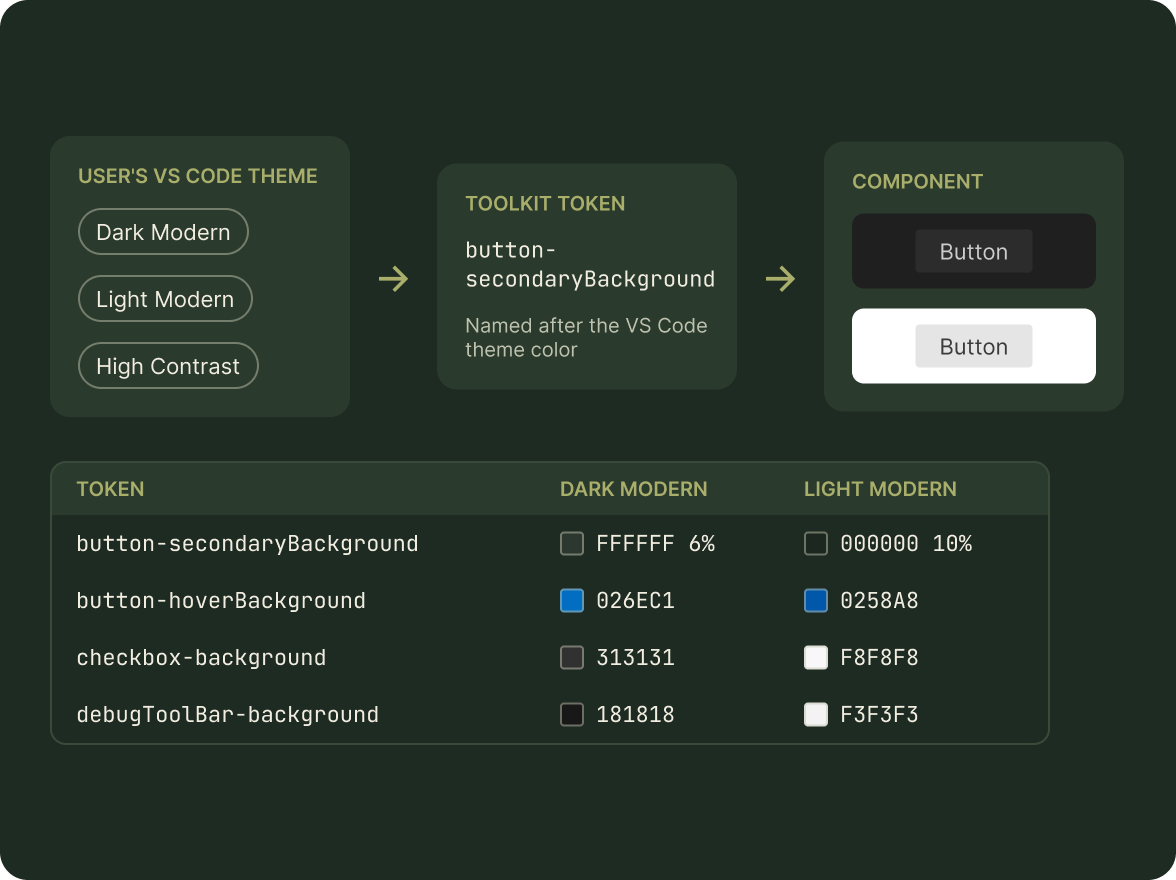
I defined color, type and spacing as tokens before drawing a single component, so every team could inherit changes instead of copying them. The tokens follow the user's VS Code theme, so light, dark and high-contrast modes work without extra effort from any team.
Commitments before code.
A design system nobody adopts is just a library. I met with product owners first to learn which teams needed it most and when they could take it on, so the build order followed real demand and adoption was agreed before the work was finished.
Design and code in parity, not a Figma library alone.
A Figma-only library drifts from what ships. I worked with engineering so each component in Figma matched a coded one, and explored a design-to-code generator to keep it that way.
AI to go faster, people to decide.
I used Claude and Gemini for research, specification drafts and build work, and reviewed every standard myself before it was released. That's how one person could deliver a full system in eight months.
The system
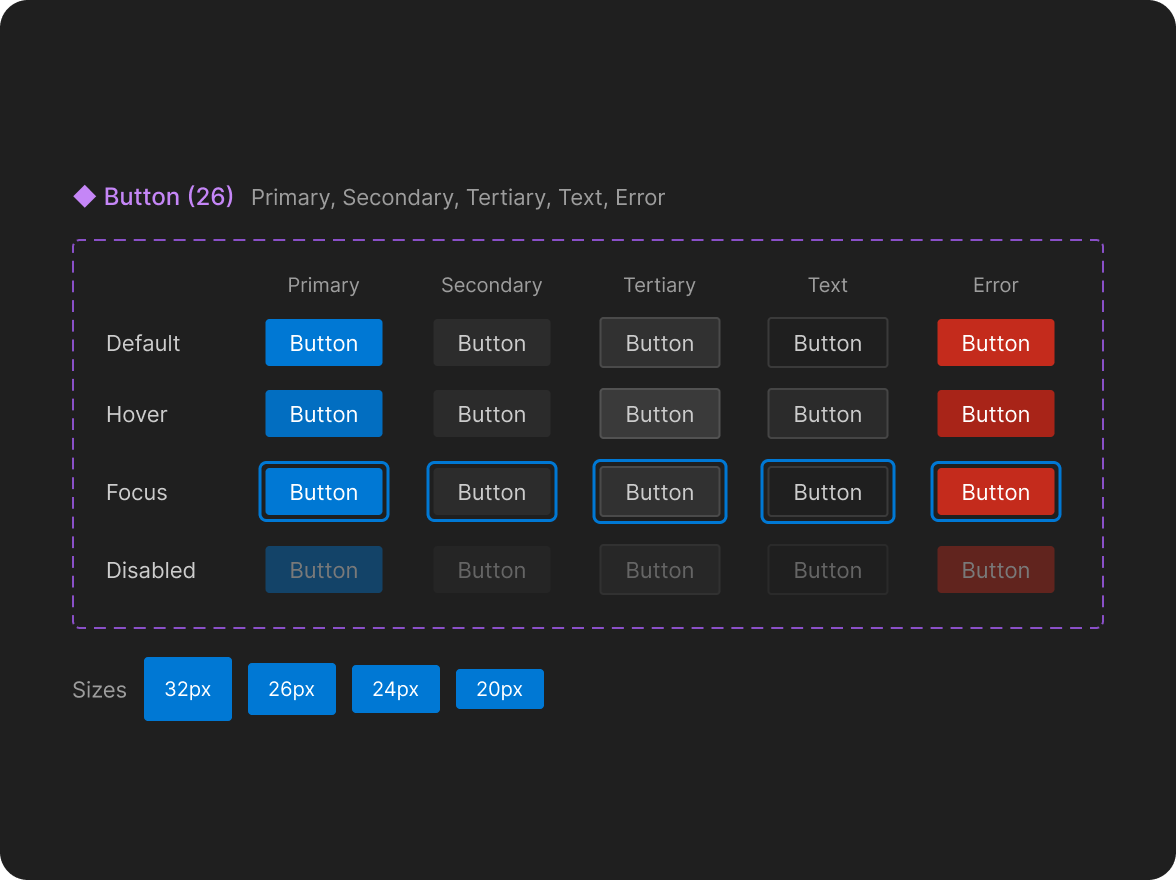
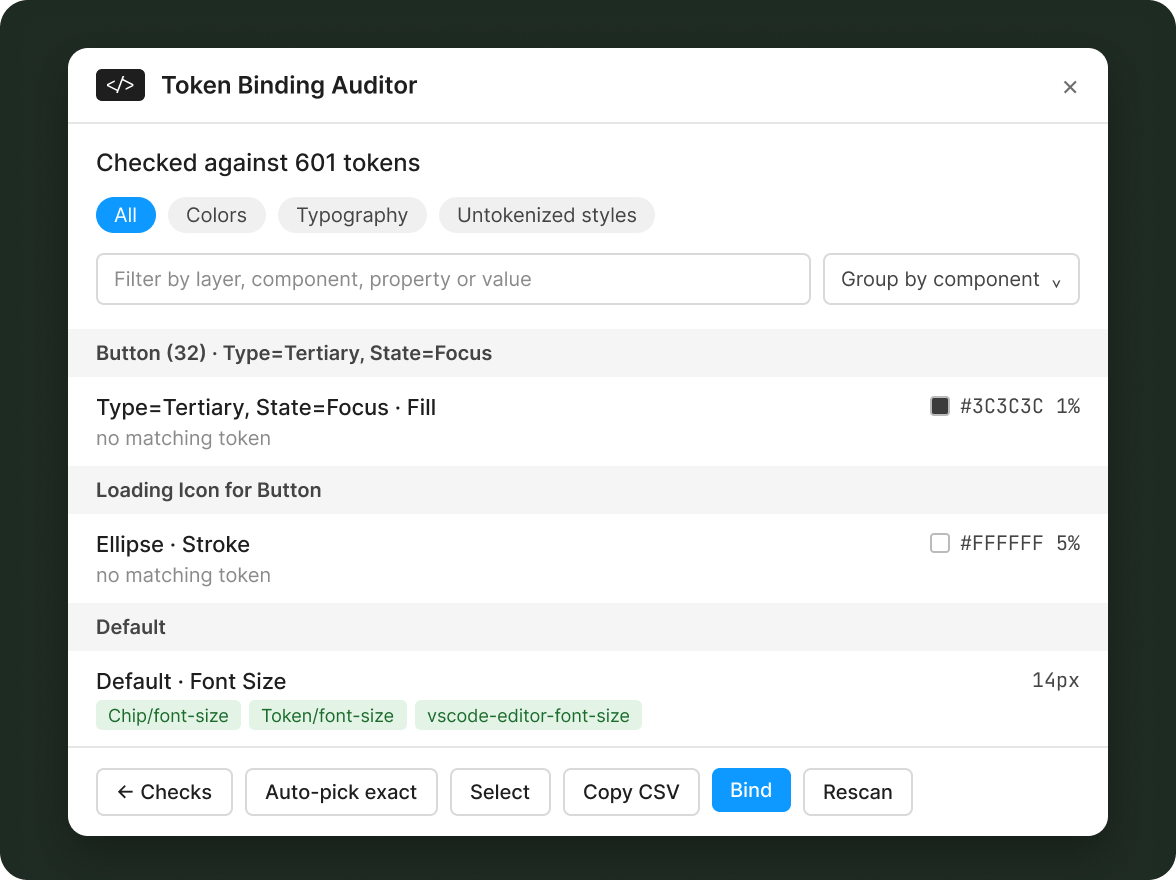
A dynamic token set, a Figma toolkit of 50 components, and Figma plugins, including a testing assistant that flags any color not bound to a token and any reference to a design system outside the toolkit, so teams can check their own screens against the standard.
The testing assistant, the Token Binding Auditor, checks every layer against the toolkit's 601 tokens, groups what it finds by component, suggests exact matches and binds them in one step. Token names match VS Code's own theme colors, such as button-secondaryBackground and quickInput-background, with values for Dark Modern and Light Modern. The toolkit is versioned in Figma, with v2.0 released and v2.1 pending.
Outcome
The toolkit is available to every Broadcom product team with a VS Code extension. Two teams implemented it in beta releases, and a third is adopting it.
What I'd do next
Measure the time teams save on new screens, and publish usage guidance alongside each component so adoption doesn't depend on one person.
Images